亞東證券-亞東e指賺8.35.3
Publisher Description

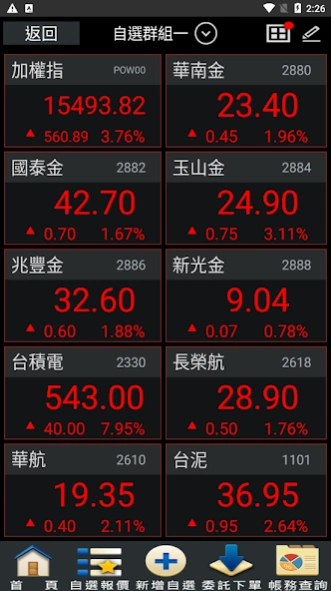


The market unanimously recommends the easy-to-use free mobile market-reading software-"Yadong Securities-Yadong e-finger earning" Provide investors with the most real-time market information, and easily watch the market at any time to grasp market investment opportunities!
"Yadong Securities-Yadong e-Finance Earning" is a stock market viewing software developed by Sanzhu Information, which provides quotations for listed stocks, counter stocks (STOCK), indices, futures, options, foreign exchange and international finance, as well as rich After-hours information, financial and financial news; and add various order trading and free viewing functions according to the needs of securities companies.
Reminder: To ensure the security of your accounts and transactions, please install protection software on your mobile device, and please install to the latest version of the operating system.
About 亞東證券-亞東e指賺
The company that develops 亞東證券-亞東e指賺 is 三竹資訊. The latest version released by its developer is 8.35.3.
To install 亞東證券-亞東e指賺 on your Android device, just click the green Continue To App button above to start the installation process. The app is listed on our website since 2026-06-01 and was downloaded 4 times. We have already checked if the download link is safe, however for your own protection we recommend that you scan the downloaded app with your antivirus. Your antivirus may detect the 亞東證券-亞東e指賺 as malware as malware if the download link to com.osc is broken.
How to install 亞東證券-亞東e指賺 on your Android device:
- Click on the Continue To App button on our website. This will redirect you to Google Play.
- Once the 亞東證券-亞東e指賺 is shown in the Google Play listing of your Android device, you can start its download and installation. Tap on the Install button located below the search bar and to the right of the app icon.
- A pop-up window with the permissions required by 亞東證券-亞東e指賺 will be shown. Click on Accept to continue the process.
- 亞東證券-亞東e指賺 will be downloaded onto your device, displaying a progress. Once the download completes, the installation will start and you'll get a notification after the installation is finished.
Program Details
System requirements
Download information
Pricing
Version History
version 8.35.3.S.53.4.3.33.5
posted on 2026-06-01
智慧單功能優化
version 8.35.3.S.53.4.3.33.2
posted on 2026-05-06
新增智慧下單功能
version 8.35.3.S.53.2.3.33.R2
posted on 2026-01-07
系統功能優化
version 8.35.3.S.50.3.33
posted on 2025-10-21
1.系統功能優化
2.數位e櫃台功能上線
version 7.34.2.1402.7.2.1034.12
posted on 2025-06-23
支援週五到期選擇權商品
version 7.34.2.1402.7.2.1034.8.A
posted on 2025-03-10
1.系統功能優化調整
version 7.34.2.1402.6.2.1034.8
posted on 2024-12-26
oppo閃退問題修正
version 7.33.2.1402.6.2.1034.7.A4
posted on 2024-09-29
系統功能優化調整
version 7.33.2.1402.6.2.1034.7.A2
posted on 2024-07-19
三竹股市自選股同步
version 7.31.2.1368.OSC1.2.1005.OSC1
posted on 2022-12-21
1.系統功能優化
